

Ali Abdaal
YouTuber, Author of Feel-Good Productivity
Rated 5 out of 5
Jul 11, 2024

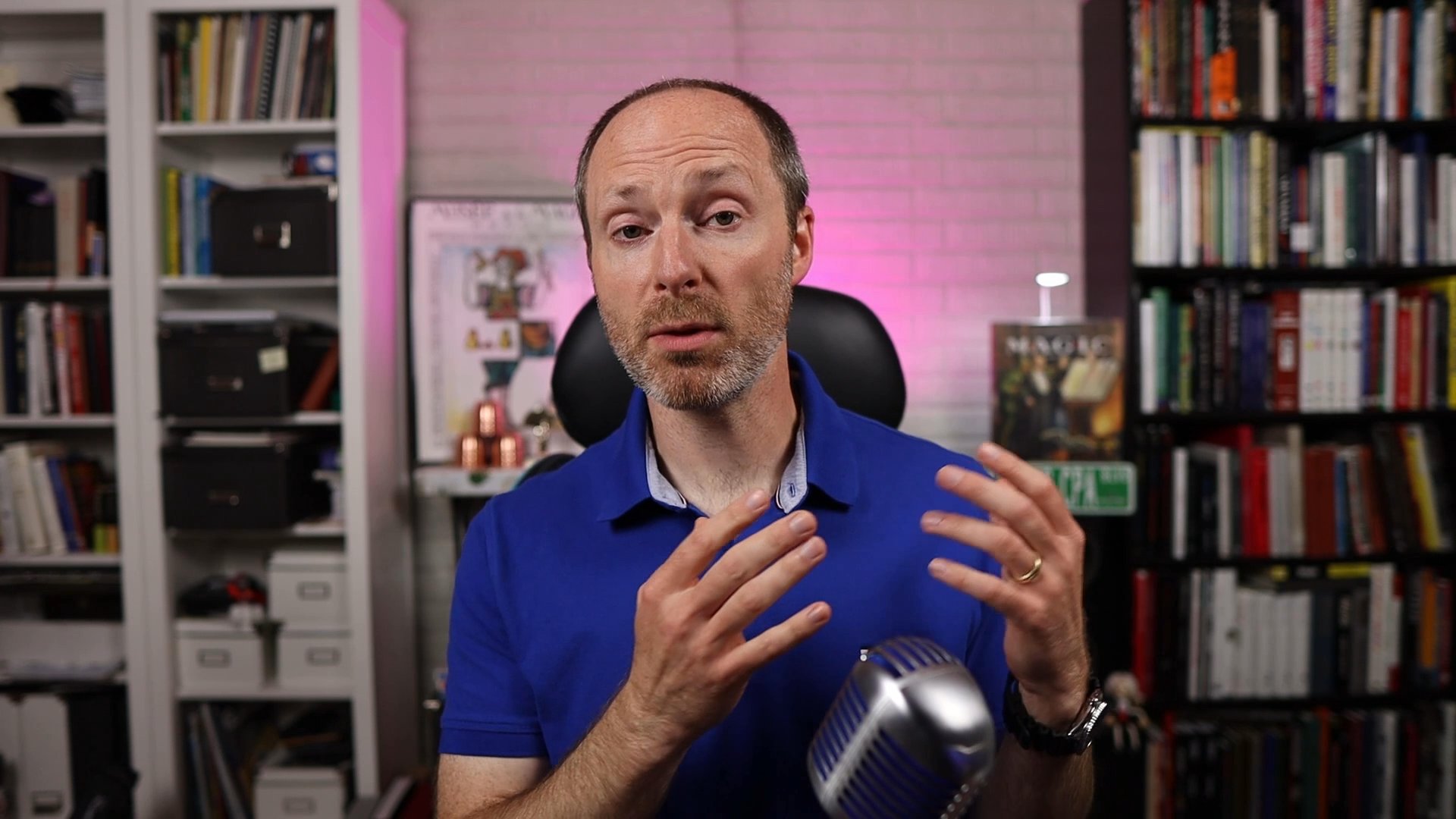
Jeff Kowalk
Part-Time YouTuber
Video transcript: Recut. Where do I even start with this one? Recut saved me a ton of time and effort when I was first starting out. My name is Jeff Kowalk and I run a small YouTube channel with about 5000 subscribers. I produce weekly content and I do this on the side as my passion project. Recut has been there for me since almost the beginning when I first started making videos for YouTube, primarily talking heads, very similar to this. It would take me 30 to 45 minutes to go through the footage, chop it up and cut out all of the interruptions and pauses and ums and ahs. Very quickly I discovered recut and it completely changed the trajectory of my YouTube experience. I have recommended the program to many, many, many friends because it is so useful and for the price. I felt it was a bargain. I have saved countless hours of time by using recut and the best part is recut isn't just a static piece of software. You get constant updates which provide more functionality and allow you to do even bigger projects. For example, I now use two camera angles and I'm able to run those both through recut as a multi cam output. So when I'm editing in DaVinci resolve, all I have to do is quickly switch between camera angles and it makes it so easy to keep the viewers visual interest. I can't say enough good things about this software if you're on the fence about it, certainly take out the trial, but I promise you're going to want it after you see what it can do for you. Thanks recut for helping me on my YouTube journey these last four years.

Rated 5 out of 5
Alex Ziskind
YouTuber, Course Creator
Video transcript: Recode has become such an integral part of my workflow that I feel like I owe it. Not only does it save me hours and boost my productivity in editing, but it allows me to get to more projects faster to make more money. I use it for my YouTube videos. I use it for my video courses. I used to use a python script. While it was faster than doing manual editing, it was still slow, but recut is insanely fast. It's a total game changer and I can't recommend it enough for any content creator.
Rated 5 out of 5
Paul Yu
YouTuber
Video transcript: I used to make videos every single day for my YouTube channel and recut has saved me so many hours of editing it's insane because I looked at other services which cut pauses out of videos and they're all subscription services you have to pay on a monthly basis. But recut was just a one time purchase, it was a reasonable price. So I tried it, did the trial, and absolutely loved it. And so I bought it and I have absolutely no regrets. And on top of that with the recent update was, I think it just happened about a month or two ago in 2024. The now you can adjust the length of the pauses and have more control over the editing. And so it's just, it saves so much time. It is totally worth it. It was for my in terms of my video editing and video making, definitely the best purchase I've ever made. I mean, obviously mic and stuff is important too, but in terms of saving me time, best purchase I ever made. So I totally recommend that you get recut if you're on the fence.
Rated 5 out of 5
Enrique
Video Editor
Video transcript: What I think about Recut is it's very useful. It saves you a ton of time. It's very easy to use, it's user friendly. You can export to any type of, or most any type of editing program. I would recommend it if anyone does talking headpieces, podcasts, stuff that has a lot of bed space and you want to get rid of it. Recut is for you. I enjoy it. I support it. I love Recut. It's really good and I appreciate the opportunity to give my two cent about it. Thank you.

Rated 5 out of 5
Sebs Duran
YouTuber
Video transcript: Um, recut has been a game changer for my channel. I'm a reactor. Reactions are not hard to, to record at all and you also frankly don't want them to be overly scripted. You want them to be spontaneous and real but you also want to be coherent, right. And you want to take your time in putting together a thought. But when you put, put up the video, you want the video to move and to keep the viewer's attention. So recut was a game changer just like I'm recording this right now. One shot, one take. But after I run it through recut, the silences are completely removed and my time to produce this video for my boy Dave was easy. So my videos got a little bit more TLC but still the production effort is still not high at all and I'm very grateful for that. So shout out to my boy Dave. Thanks for making recut just fantastic easy to use tool. Recommend it to anybody.
Best Liu
Video transcript: I'm not a native english speaker, so a while ago, when I recorded my YouTube videos, I spent a lot of time to cut off those parts that I'm not happy. And when I found Ricard, it's such a game changer because I don't need to spend hours to cut off those parts. And also, it's quite satisfying to see the output, for example, is seven minutes and the original video is ten minutes. So that I know that's the time I save not only for myself, but also for the audience, the people who's watching the video. And that's the value, I think. Yeah. Highly recommend. If you haven't tried records, give it a try. And it's not only save your time, but save your audience time and so that you can provide more value for them.
Rated 5 out of 5
isaac bengtson
isaac
Video transcript: Um, they did not pay me to say this or nothing. I just got an email that said, do you want to leave a testimonial? Yes, I do. Genuinely. I use Recut all the time. It's definitely worth it. It saves me like hundreds - maybe not hundreds, but saves me hours and hours each time I'm editing because it's so nice and it makes it so I don't have to buy like a premium subscription on my editing software. And it just saves me money and time and I love it, actually, genuinely, again, was not paid or asked to do this at all. But get Recut, it's low key worth it.
Rated 5 out of 5
Davide Gatti
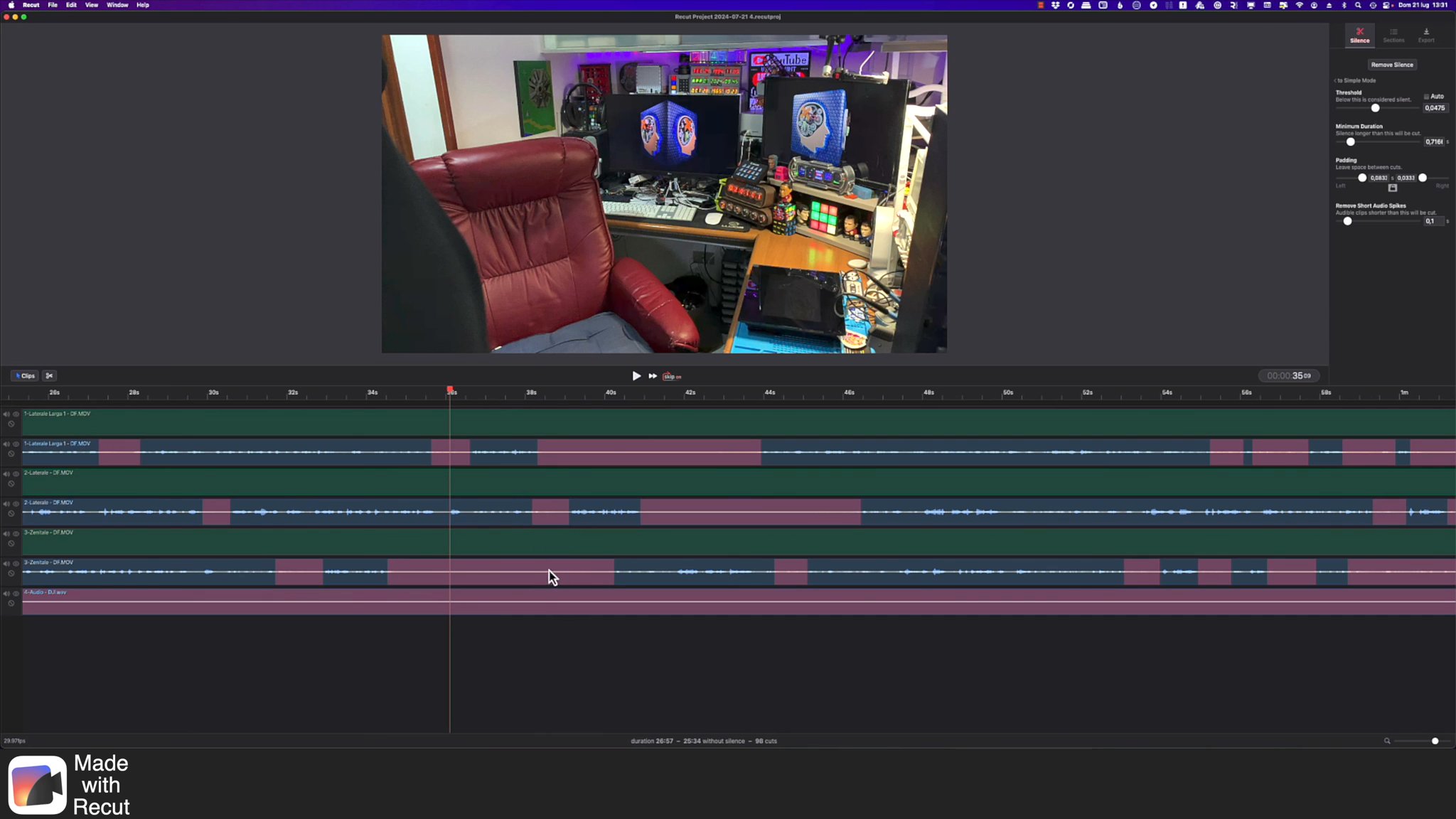
Video transcript: Ciao amici sono Davide Gatti e oggi volevo farvi vedere come con ReCut sono riuscito a migliorare e a velocizzare il mio flusso di lavoro per la realizzazione dei video e dei contenuti che porto su YouTube. Andiamo a vedere come facevo prima e come oggi con ReCut riesco a migliorare il tutto. per la realizzazione dei miei contenuti registro il video con tre diverse camere con tre inquadrature differenti un'inquadratura piena laterale un'inquadratura ravvicinata laterale e un'inquadratura vista dall'alto e poi con un lavalier registro un audio in presa diretta. Una volta realizzati tutti questi contenuti In precedenza importavo tutti i media in un progetto multicam su Final Cut e così ottenevo un progetto con dentro tutte le mie tracce sincronizzate. In questo modo potevo fare un editing molto dinamico e poter selezionare le camere semplicemente cliccando sugli angoli disponibili. In questa modalità ogni volta che c'era bisogno di eliminare una zona priva di audio eseguivo un taglio all'inizio e alla fine della zona priva di audio e andavo a fare una transizione. In questo modo sistemavo un po' tutta la questione dei tagli e così per ogni punto dove non c'era l'audio. questa operazione manuale è abbastanza frustrante e richiede parecchio tempo. Tutta questa operazione veniva eseguita su tutta la lunghezza del video e quindi in base a quanto il video era lungo c'era da fare un'enorme quantità di tagli manuali e questo portava via tempo e e non dava veramente alcun tipo di valore aggiunto con ReCut invece tutte queste operazioni sono state automatizzate vediamo come opero ora una volta aperto ReCut vi verrà richiesto di trascinare i vostri file all'interno di quest'area seleziono i file interessati e li trascino e verranno automaticamente inseriti nella timeline. ReCut ora comincia ad analizzare l'audio e mostrarmi sulla timeline tutte le varie informazioni utili. Una volta che i file saranno stati completamente analizzati ReCut già mi farà vedere a video dove verranno eseguiti i tagli. Se ho la necessità di ritoccare o di modificare la modalità con la quale vengono effettuati i tagli, opererò su questi cursori affinché ottenga il risultato desiderato. Non mi resta che sincronizzare l'audio. Questa operazione in questo caso sarà manuale ma come vedete è molto semplice effettuarla visto che adotteremo un approccio di tipo visivo. Postiamoci in modalità clip per poter muovere le clip vedete queste clip sono del tutto simili come tagli e quindi allineandoli in modo che i tagli corrispondano avrò anche un allineamento su quello che è la sincronizzazione. Facciamo la stessa cosa per la traccia audio andiamo a zoomare per verificare che l'allineamento sia preciso. Ascoltiamo. Ciao amici sono Davide Gatti e bentornati su Survival Hacking Inside. Oggi vedremo un prodotto tecnologico che è stata una sorta di meteora, uno di quei prodotti che nel momento in cui esce lo vogliono tutti, lo prendono tutti, lo trovate dappertutto anche nelle patatine. Come vedete l'audio è perfettamente sincronizzato e poi siccome mi interessa solo l'audio principale andrò a escludere l'audio dalle altre tracce che ho tenuto attivo solo per consentirmi di sincronizzare. Già in questa schermata possiamo vedere un preview dell'effetto finale con i tagli eseguiti. Chi è che se ne ricorda? Erano delle cose che andavano di moda forse una decina d'anni fa, non lo so. eseguo un taglio sulla parte iniziale per averli più o meno tutti sincronizzati ed ecco qua le quattro tracce sincronizzate vado in esportazione e seleziono la modalità multicam per final cut esporto il mio file xml vado ora in final cut e vado a importare il file xml che abbiamo appena generato ed ecco che abbiamo il nostro progetto multicam con già tutti i tagli eseguiti e quindi abbiamo una semplificazione notevole del lavoro io a questo punto seleziono tutto il progetto e inserisco automaticamente una transizione di default su tutti i tagli e io già mi trovo gran parte del lavoro eseguito come potete vedere e quindi c'è il suo sistema operativo ecco diciamo qua tutti i vari pulsantini abbiamo già tutto il lavoro di base eseguito e ora si tratta solo di fare il lavoro vero di scegliere le inquadrature nel momento opportuno laddove devo far vedere dei contenuti con un'altra camera cambio camera e mi concentro solo quindi sulla parte di montaggio senza più dover preoccuparmi di perdere tempo a fare tagli questo mi consente davvero di guadagnare tantissimo tempo quindi grazie a ReCut sono riuscito a migliorare notevolmente il mio flusso di lavoro a risparmiare tempo e poter concentrarmi maggiormente su quello che voglio fare nel video. Bene ringrazio ancora una volta ReCut per quanto fatto e ci vediamo al prossimo giro ciao ciao

Rated 5 out of 5
Mordio
Video transcript: When I started to make YouTube videos every week to just grow the audience and everything, the work was quite intense because finding good ideas is the most important thing to create videos. But the editing part was the first thing I always wanted to outsource. But as a small youtuber for me it was not possible to pay someone for that. And when I found recut I was a game changer because the most of the time I used was really cutting the brakes out and all this like moments of yeah I don't know what to say and I changed my workflow really well because now I know if I just don't know what to say next I just be silent, think what I want to say next and then I go on. So I put it in record and it will just cut all the poses out and then I have a really nice start point for just making small edits. And with this the editing part became like a blessed.

Zach (Android Digest)
Youtuber, Content Creator
Rated 5 out of 5
Jul 11, 2024

Nick Kendall
YouTuber
Rated 5 out of 5
Mar 1, 2021

Akta
YouTuber
Rated 5 out of 5
May 24, 2021

Petro Mateichyk
Educational Content Editor
Rated 5 out of 5
Jul 16, 2024

Abhimanyu Shekhar
YouTuber
Rated 5 out of 5
Jul 16, 2024


NerdieBirdie
YouTuber
Rated 5 out of 5
Jul 16, 2024


Devin Nagami
Editor/Youtuber
Rated 5 out of 5
Jul 16, 2024

Guillaume Bettin
Youtuber
Rated 5 out of 5
Jul 16, 2024


KriterCH
YouTuber
Rated 5 out of 5
Jul 20, 2024

Jamie
Youtube Gamer
Rated 5 out of 5
Jul 20, 2024

Mauricio B Gehling
Digital games professor
Rated 5 out of 5
Jul 20, 2024


Ugur Y
Rated 5 out of 5
Jul 19, 2024

Tony R
Rated 5 out of 5
Jul 19, 2024

Ramon Simpson
YouTube Content Creator
Rated 5 out of 5
Jul 19, 2024


Kevin IJpelaar
Editor, Creative
Rated 5 out of 5
Jul 19, 2024


James Higgins
Video Editor
Rated 5 out of 5
Jul 19, 2024

Rated 5 out of 5
Jul 19, 2024


Keno Morris
YouTuber
Rated 5 out of 5
Jul 19, 2024


Alexandru Tremurici-Mavropol
Video Editor
Rated 5 out of 5
Jul 18, 2024


Dale
Rated 5 out of 5
Jul 18, 2024


Ganesh
Video Editor
Rated 5 out of 5
Jul 18, 2024

Doctor Orion
YouTuber and more
Rated 5 out of 5
Jul 18, 2024

Lalanne
Videaste freelance
Rated 5 out of 5
Jul 17, 2024


Michael
YouTuber
Rated 5 out of 5
Jul 17, 2024

Harry Karanassos
YouTuber and Author.
Rated 5 out of 5
Jul 17, 2024


Eric Hunsicker
Content Creator
Rated 5 out of 5
Jul 21, 2024

James Morris
Youtuber
Rated 5 out of 5
Jul 21, 2024

Victor
Rated 5 out of 5
Jul 21, 2024


Adrian Fajardo
Business Development Manager
Rated 5 out of 5
Jul 22, 2024


Daniel
Sep 17, 2024


Mark C
Influencer
Rated 5 out of 5
Aug 5, 2024

Steven R
YouTuber
Aug 2, 2024


Alan Tang
Rated 5 out of 5
Jul 23, 2024


Mordio
Rated 5 out of 5
Jul 22, 2024